3DsWorks
Menu
Free CAD · Free for commercial use · Two products

Free CAD software.
From sketch to the showroom.

3DsWorks makes a parametric CAD/CAE workstation for engineers — free for commercial use — and CAS, an interactive showcase platform for the people who present the product. The same model goes all the way.

Windows · macOS · Linux · Web · No seat fees · Commercial use allowed

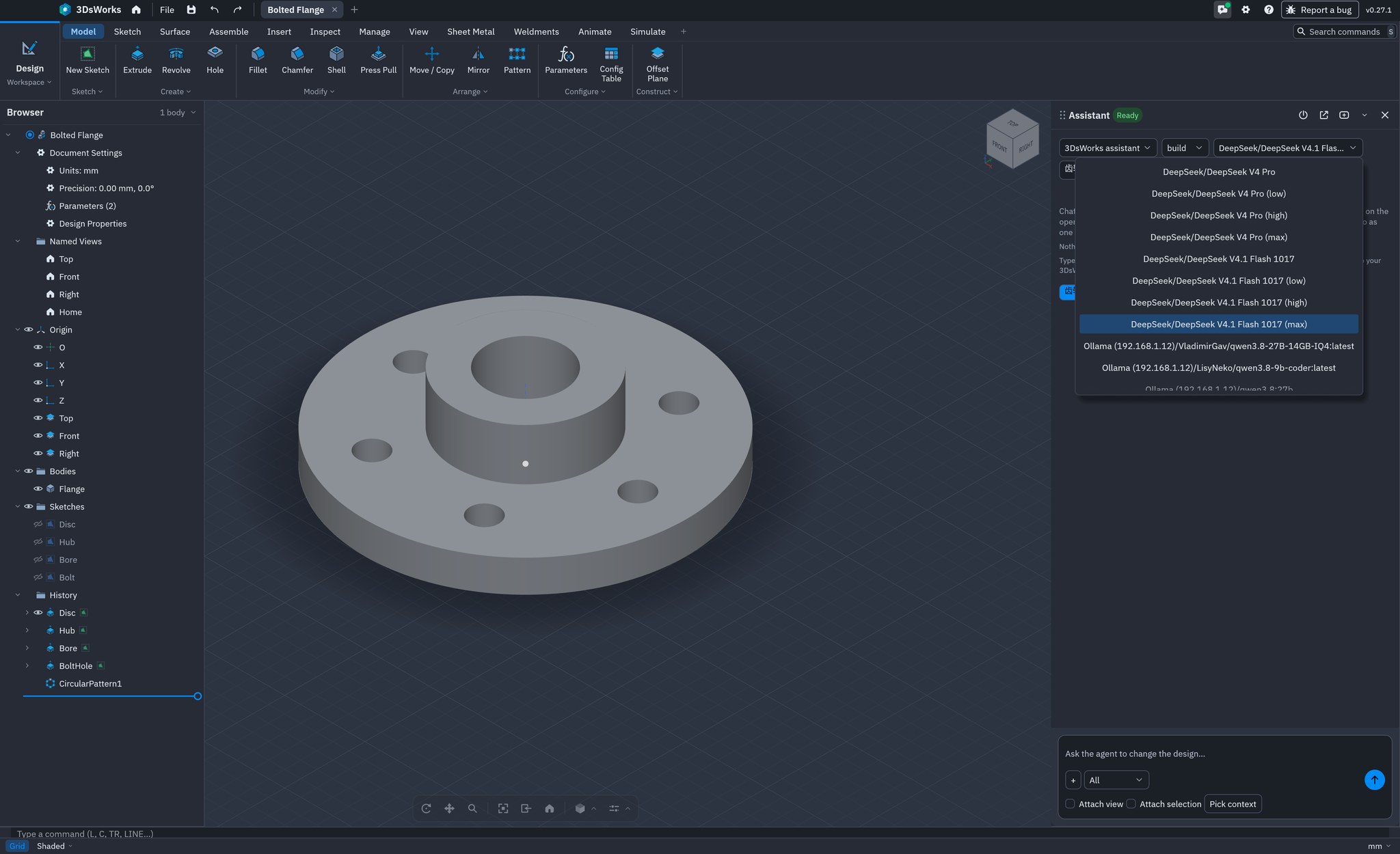
3DsWorks CAD workspace: feature tree, parametric timeline and the AI design assistant
3DsWorks 0.27.1 · CAD / CAE · Design + AI
2products, one kernel
9showcase formats
3desktop platforms
0seat fees for CAD
One workflow
Model Validate Publish Present Review
Products

Two products.
One model.

Build it with CAD/CAE. Show it, and run it, with CAS. No re-modelling, no export chain.

Product 01 · Author 3DsWorks CAD/CAE workspace with the AI design assistant
CAD / CAE

3DsWorks CAD / CAE

Parametric 3D design for engineers: sketches, features, assemblies, motion, linear static analysis and drawing output — free for commercial use.

  • Parametric feature timeline, edit a dimension and rebuild
  • Assemblies, joints, interference and motion studies
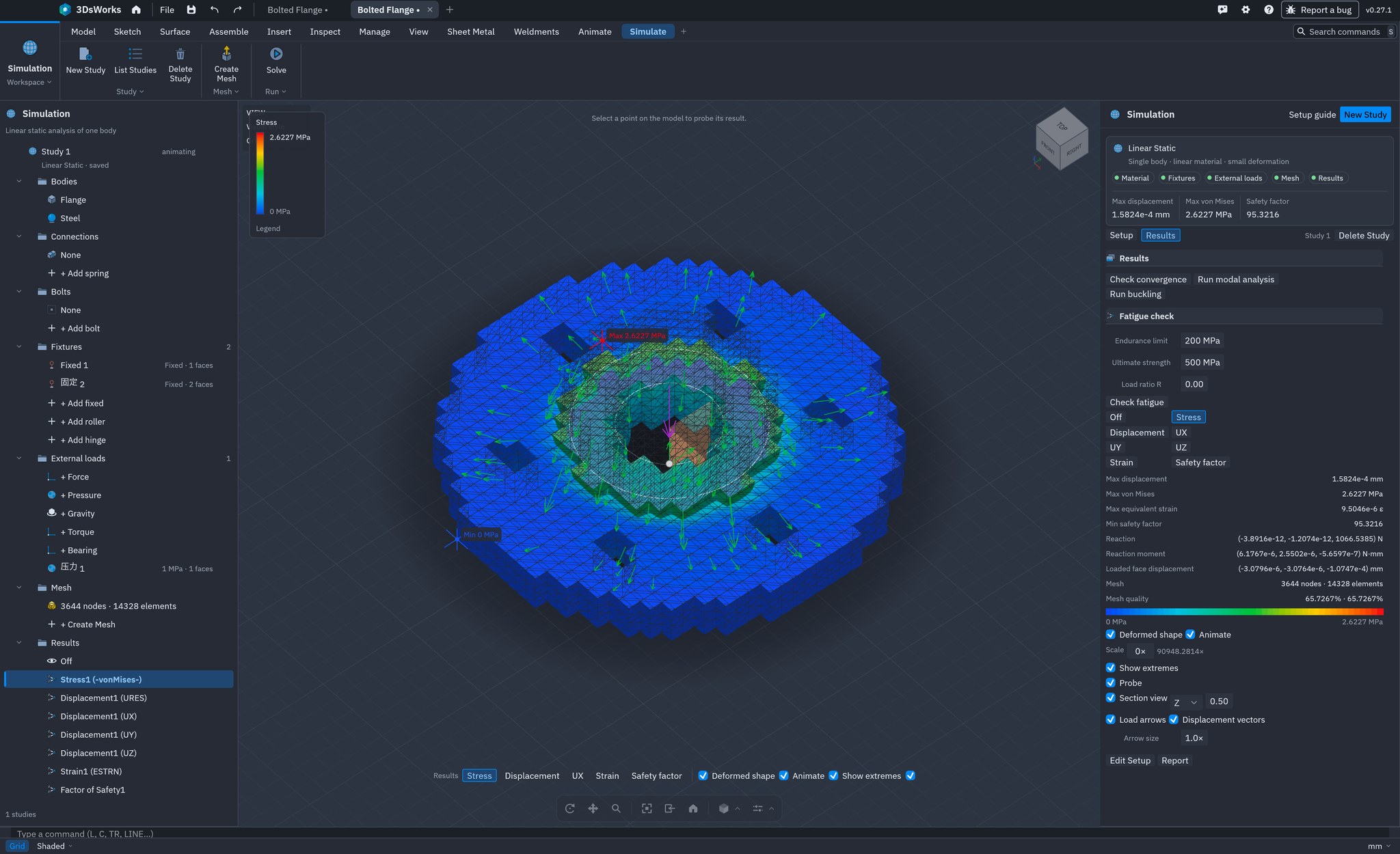
  • Linear static analysis with stress, displacement and safety factor
  • STEP / IGES / Rhino / FreeCAD import, DXF export
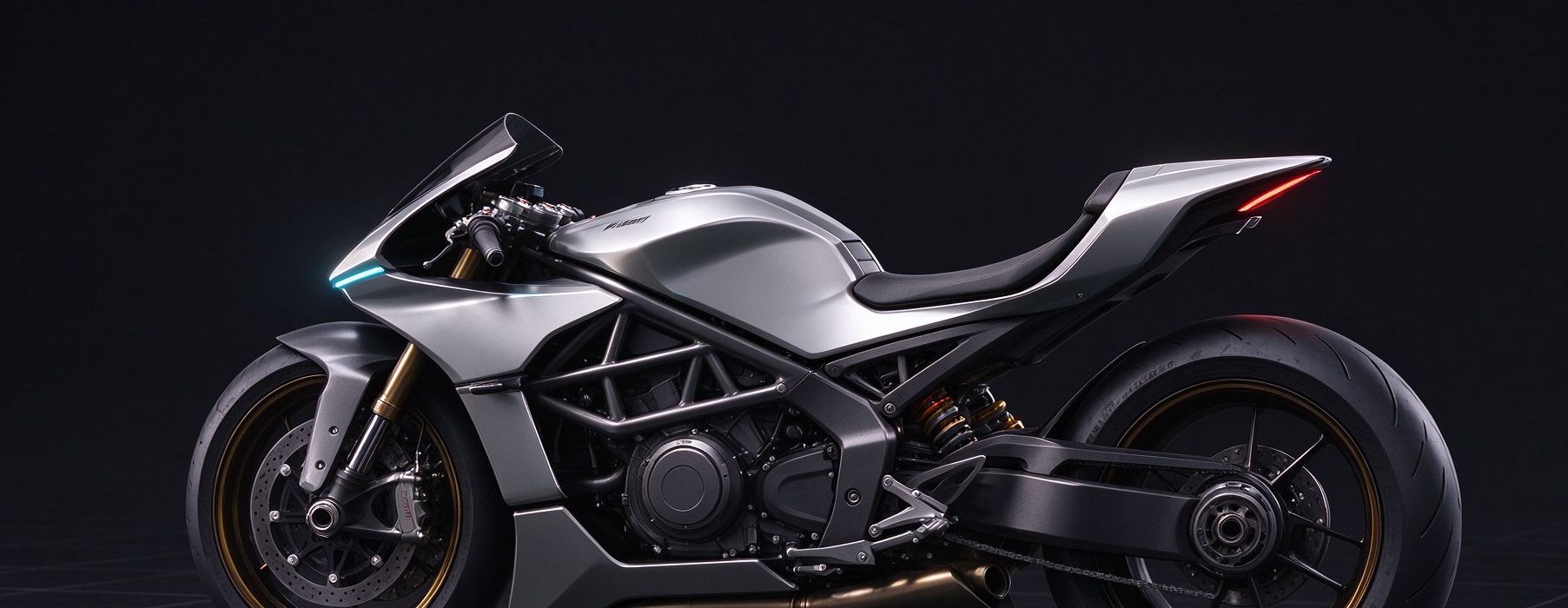
Product 02 · Present 3DsWorks CAS interactive product showcase
CAS · Computer Aided Showcase

3DsWorks CAS

An interactive product showcase. Import the engineering model, compose the scene without code, and publish it as a link customers can explore.

  • 9 model formats including glTF, FBX, STL and 3MF
  • No-code scene building and interaction logic
  • Hotspots, guided steps and option switching
  • Browser delivery, link or QR code
Free CAD

Free to use.
Free for commercial work.

The CAD/CAE application is free for individuals, teams and companies — not a trial, not a student edition, not a feature-locked version. Install it on every workstation, use it on paid projects, and keep the files on your own machines.

Zero seat fees Commercial use allowed No registration or activation No watermark on output Windows · macOS · Linux · Web Free CAD: what is included →
One workflow

Model. Prove it. Then run it.

Each step hands the same model to the next — no conversion, no parallel copy of the truth.

01

Model

Sketch, feature and assembly in a parametric timeline.

CAD / CAE
02

Validate

Check fit, motion and linear static stress before release.

CAD / CAE
03

Publish

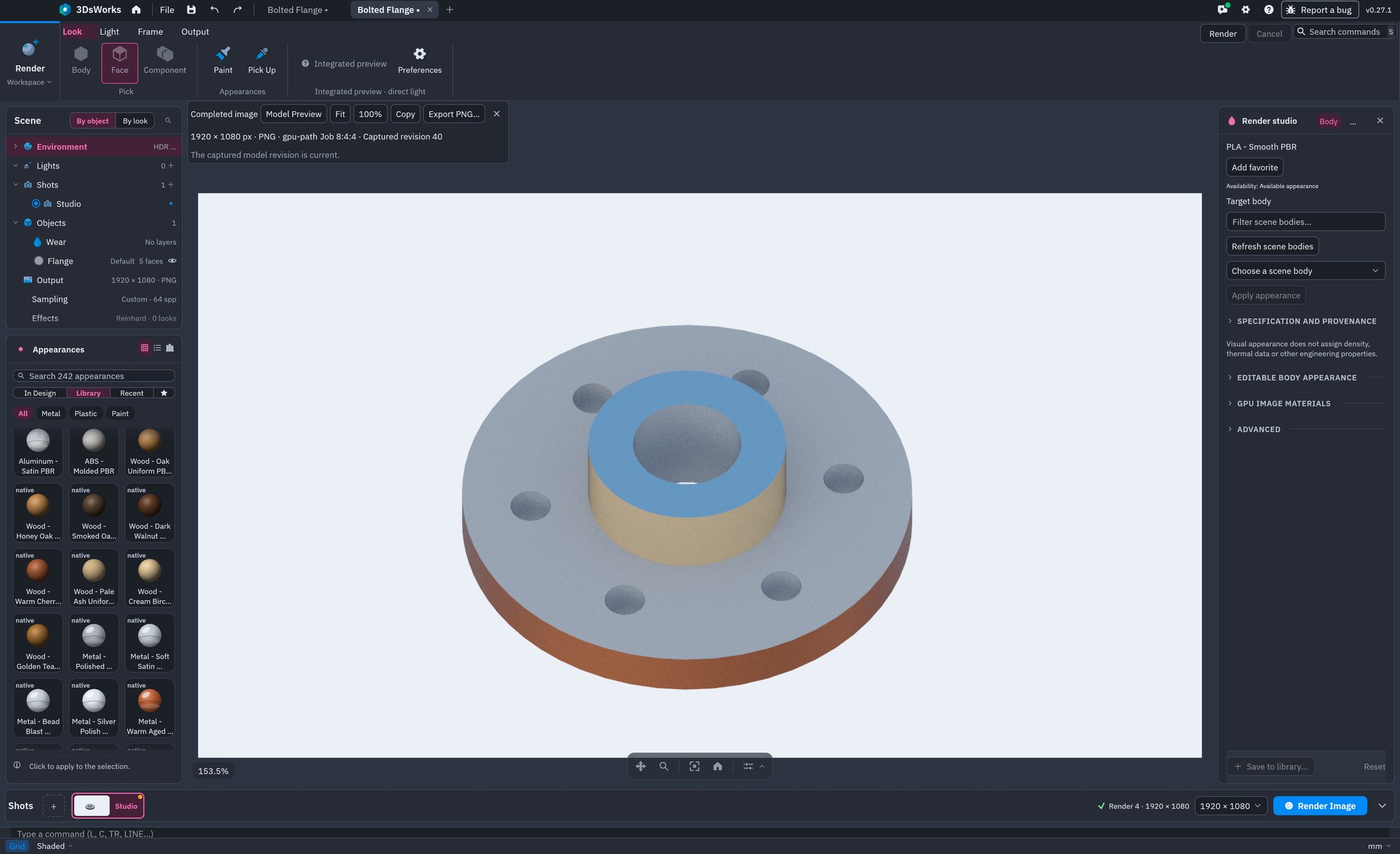
Turn the model into a browser scene with materials and light.

CAS
04

Present

Share a link or QR code, and update it by republishing.

CAS
Downloads

Get both.
Free to start.

Product 01

CAD / CAE

Parametric modeling, simulation and drawing. Free to use, including commercial work.

WindowsmacOSLinuxWeb
Download CAD / CAE
Product 02

CAS

Interactive product showcase for web, kiosk and sales meetings. Windows desktop and web viewer.

WindowsWeb viewerPrivate hosting
Download CAS
Custom development

Repeated engineering work,
turned into tools.

Drawing sets, BOMs and quotes, process cards, production drawings, custom CAM — built on your templates and your rules, running on your machines.

Drawing automation and BOM Proposal and quotation Process cards and production drawings Custom CAM tools Explore custom development →
Why one family

Buy one workflow,
not five tools.

2products, one kernel
9import formats in CAS
3platforms, native
0seat fees for CAD
FAQ

Free CAD,
answered plainly.

More detail on the free CAD page, or ask support.

Is 3DsWorks CAD free for commercial use?
Yes. The CAD/CAE application is free to use, including commercial projects. There is no seat fee, no subscription, no trial period and no watermark, and you can install it on as many machines as you need.
Is it a free alternative to SolidWorks, AutoCAD or Fusion 360?
It is a free parametric 3D CAD for the same work: sketches, features, assemblies, drawings and simulation. STEP and IGES files open directly, so geometry comes across — proprietary native formats and feature history do not transfer yet.
Which platforms and file formats are supported?
Native builds run on Windows, macOS and Linux, plus a web build. Import STEP, IGES, Rhino, FreeCAD, STL, 3MF, OBJ and glTF; export STEP, STL, 3MF, OBJ, glTF, DXF and SVG.
Does it include simulation and drawings?
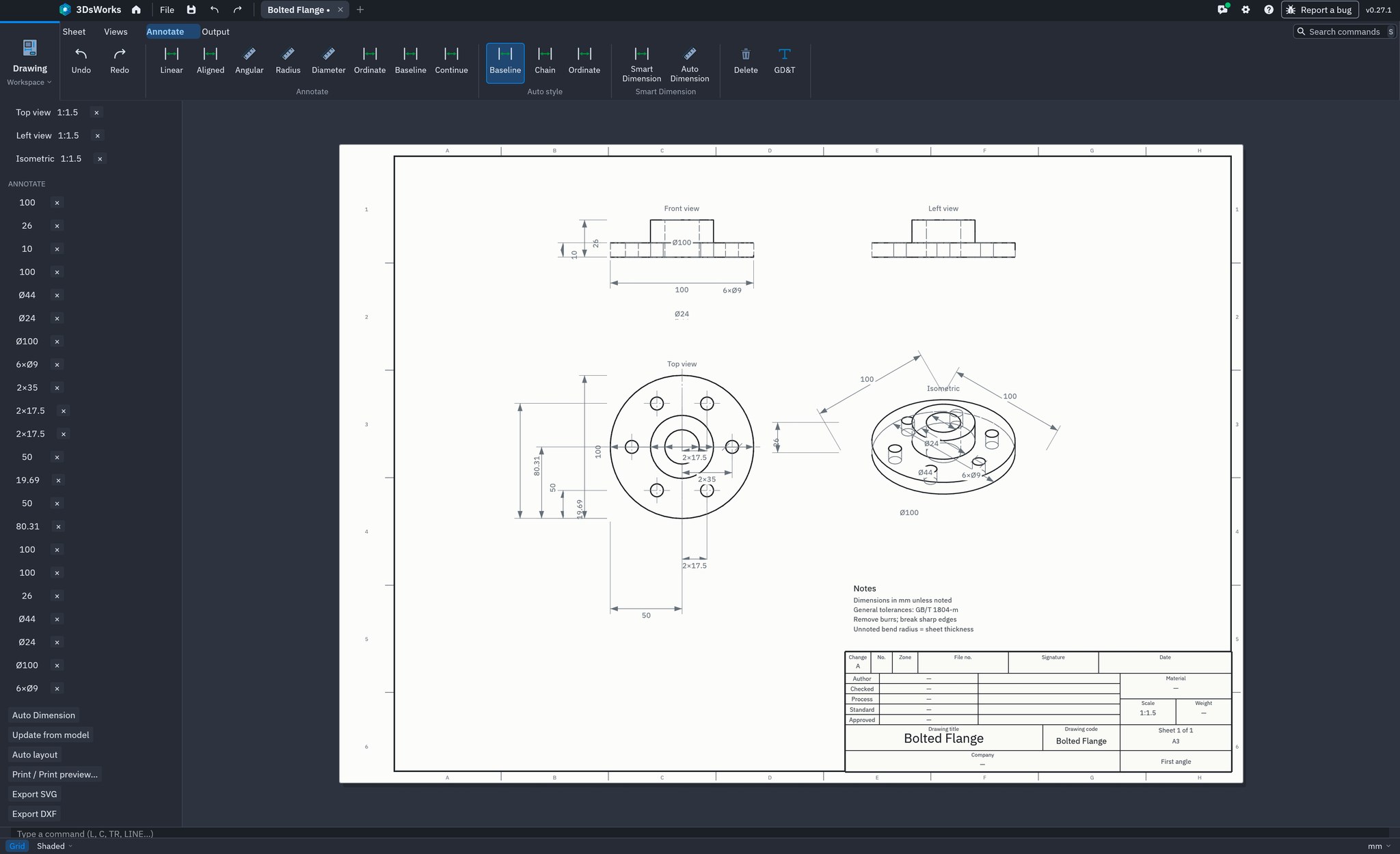
Yes. Linear static, modal, buckling and Goodman fatigue studies run in the same application, and drawing sheets with views, dimensions and a title block are part of the free product; full drawing standards are still in development.
Where are design files stored?
On your own machine, by default. The desktop app works offline, requires no account, and server components can be deployed inside your own network.
What is the catch?
The product is free but not open source: source code is available under a commercial contract for security reviews and integrations. Maintenance is funded by custom engineering work on the same kernel, not by CAD licences. How it works →

Start with one.
Use both.

Download CAD/CAE for free, and see the same model running as a live CAS scene.